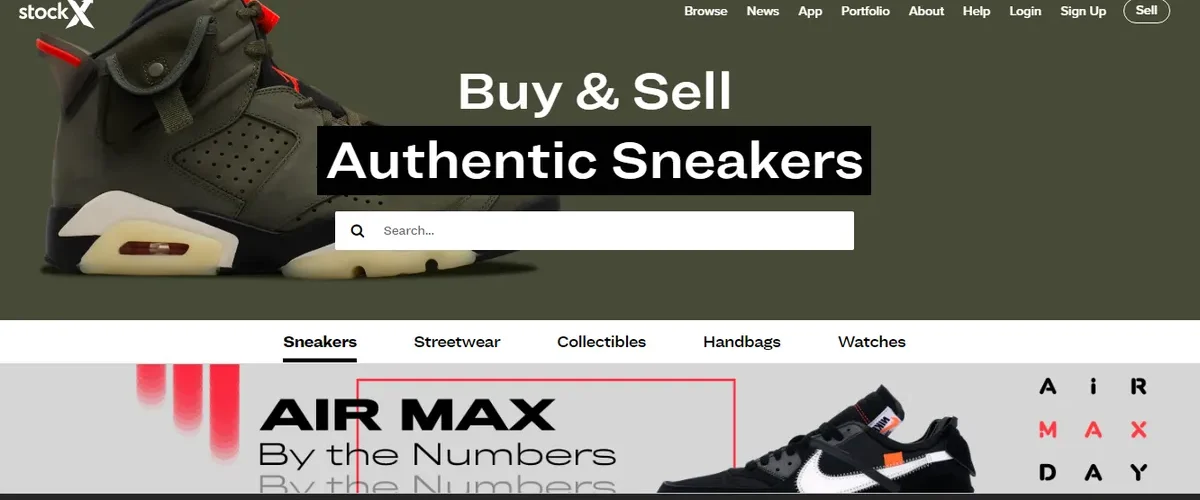
To buy on StockX in the United States, select the model and size, confirm delivery to your address, and choose between purchasing at the available price or making an offer. Before paying, add shipping, platform charges, and applicable taxes. The sneaker’s price alone is not the delivered total.
Does StockX ship to your U.S. address?
Shipping depends on the product and destination. Enter your actual delivery address before comparing totals; a listing visible on the website does not, by itself, establish that every shipping service is available for your ZIP code.
The key point is that the initial sneaker price does not necessarily include the full checkout cost. StockX currently uses All-in Hybrid pricing for U.S. buyers: applicable duties and international fees are included in the Ask, while taxes are collected separately at checkout. Check the itemized final total rather than adding estimated import charges a second time.
Which StockX marketplace should you use?
This walkthrough focuses on the Verified Marketplace for new, unworn products. Listings supports other conditions, and Live allows purchases through livestreams; StockX’s documentation identifies those as U.S. experiences with their own eligibility requirements. One format’s conditions do not automatically apply to another. In Listings, verification is optional for eligible purchases. Live orders are not eligible for StockX verification and ship directly from sellers. Neither route should be confused with the standard Verified process described below.
1. Open the official StockX website or app

Use the official StockX website or app. Avoid unfamiliar ads or links sent in messages, especially when you are about to enter a card, password, or personal information.
The screenshots below show an earlier version of the interface. Use the feature names as a guide: button placement, prices, and delivery options can change.
2. Choose an account or guest checkout

An account lets you make offers and view purchase history. The Verified Marketplace also offers Guest Checkout when available. If you use it, save the confirmation email and order number. Check return eligibility before choosing guest checkout, since eligible U.S. credit returns may require an account.
Make sure the recipient’s name, full street address, apartment or unit number, ZIP code, and contact details are accurate. The address determines available delivery services and applicable taxes. Incorrect details can interfere with delivery and complicate a later claim.
Review the saved billing and shipping information rather than relying on autofill. Use the recipient and destination you actually intend, and resolve any address-validation issue before submitting payment. For order-specific questions, use the official StockX buying guidance rather than instructions from an unsolicited message.
3. Find the sneaker you want

Use search to find the exact model, colorway, and release.
Watch for very similar names. An Air Jordan can have men’s, women’s, GS, PS, and TD versions, as well as special editions with different style codes.
Where available, review sales history and seller asking prices. They help show the recent trading range, but they do not guarantee whether the price will rise or fall.
4. Select the correct size

Choose a size before comparing prices: each size may have different offers.
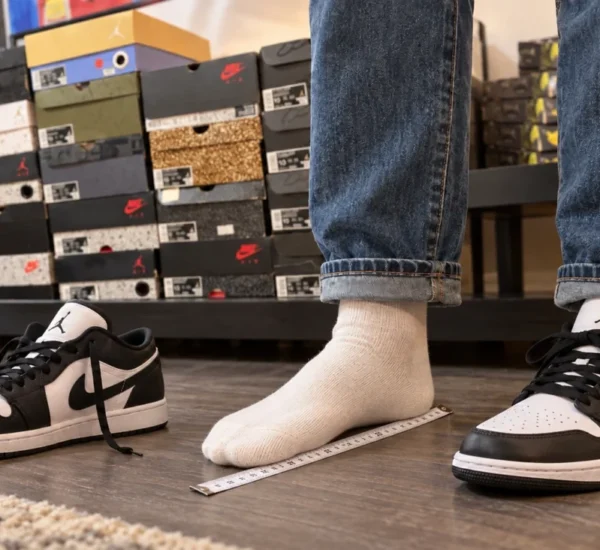
StockX generally displays sizing based on the region and account settings. Confirm whether you are looking at US Men’s, US Women’s, UK, EU, or another system before buying.
Do not convert a size in your head. For Nike models, consult the official men’s or women’s footwear size chart for the version you are buying, and distinguish the label’s CM/JP value from actual foot length. For kids’ sizing or other brands, use the official chart for that product category.
Different models can fit differently even when they carry the same size number.
5. Understand Buy Now, Offer, and Ask

Buy Now
Buy Now purchases immediately at the lowest available Ask for that product and size.
It is the simplest choice when you are comfortable with the current price and do not want to wait.
Make an Offer
Instead of accepting the lowest Ask, you can submit an Offer, stating how much you are willing to pay.
The offer remains available to sellers until it is accepted, expires, or is changed or canceled by you before acceptance, using the options available in your account.
If a seller accepts your offer or sets a matching Ask, the transaction is confirmed and payment is processed.
Ask
An Ask is the price a seller is willing to accept. For the buyer, the lowest eligible Ask normally sets the Buy Now price.
You may still see Bid in parts of StockX, especially in auction formats. In current Verified Marketplace documentation, however, the company mainly uses Offer for a buyer’s proposed price.
6. Calculate the actual cost before confirming
The total can include:
- the product price;
- StockX’s processing charge;
- shipping for your selected address and service;
- any currency-conversion or other payment-provider charge that actually applies;
- applicable duties and international fees already included in the U.S. Ask;
- applicable sales tax added at checkout;
- other clearly disclosed order or delivery-option charges, without counting an included charge twice.
StockX does not use one fixed buyer-fee percentage for every Verified Marketplace order. Processing charges are dynamic, and shipping also varies with the product, size, category, destination, and fulfillment conditions.
Always review the final screen before confirming Buy Now or submitting an Offer. Compare that total with an equivalent offer from another seller or retailer. If you switch to an international delivery address, recheck that country’s duties, taxes, delivery options and return costs; the U.S. total no longer applies.
7. Complete checkout

StockX supports several payment methods, but availability depends on country, device, and account.
The platform’s current documentation includes major credit cards, PayPal, Apple Pay, and Google Pay among supported methods. The options actually enabled for your purchase will appear at checkout.
Before finishing, carefully check:
- model;
- colorway;
- size;
- address;
- recipient’s name;
- phone number;
- product price;
- processing charge;
- shipping and applicable tax;
- the currency you will be charged.
8. What happens after you buy?

For a standard Verified Marketplace order, the seller normally sends the product to StockX for verification. After approval, it ships to the buyer.
For most standard orders, sellers have two business days to ship, with exceptions. Recent releases may have longer shipping windows, and StockX can allow additional time in certain circumstances.
If a product fails verification, StockX may try to find another seller at the same price. If it cannot, the purchase is refunded.
What is Xpress Ship?
Some products display the Xpress Ship rocket icon.
Those products may already be verified and stored at StockX or authorized facilities, or they may ship directly from participants in the StockX Verified Seller program.
This removes part of the traditional seller → verification center → buyer journey and can shorten delivery time.
Xpress Ship is not a promise of next-day delivery for every order. StockX’s next-day and expedited three-day options depend on the region, item, and service offered at checkout. Check the specific estimate rather than assuming the rocket icon alone establishes an arrival date.
How long does a StockX order take to arrive?
StockX’s general estimate for standard Verified Marketplace orders is approximately 5–12 business days under its normal fulfillment process. The delivery information separates this from Listings and Live timelines.
Treat that as an estimate rather than a guaranteed final delivery date, including for U.S. orders.
The overall timeline can involve:
- the seller preparing and shipping the item;
- transportation to the verification facility when required;
- the verification queue and inspection;
- resolving an item or address discrepancy if one occurs;
- cross-border transit or customs processing when the actual fulfillment route requires it;
- transfer to the delivery carrier after release;
- the final delivery to your address.
Follow tracking and legitimate carrier updates rather than guessing the arrival date from a single stage.

How much tax will a U.S. StockX order include?
There is no single nationwide percentage that correctly estimates every U.S. sneaker purchase. Under StockX’s current U.S. All-in Hybrid model, distinguish these parts of the total:
- Applicable duties and international fees are included in the Ask;
- applicable sales tax is collected separately at checkout for your destination;
- shipping and buyer charges also affect what you pay, so the item’s price is not the final total.
Tax treatment can depend on the jurisdiction and transaction. Do not assume a rate found for another state applies to you or calculate tax on a guessed base. The order’s itemized checkout and final invoice are the relevant records for this purchase.
For a simple illustration, suppose checkout shows a $200 item, $15 shipping, a $10 processing charge, and $18 in tax. The amount due is $243, before any separate charge your payment provider actually imposes. These are hypothetical amounts, not a StockX quote or a stated tax rate. The example shows why comparing only the $200 item price understates the purchase cost; any duties already included in that price should not be added again.
Review StockX’s current pricing-model explanation and the checkout breakdown before an expensive purchase, especially if you change the delivery destination.
Does StockX collect U.S. taxes at checkout?
StockX’s official pricing-model page explicitly places the United States in All-in Hybrid. Applicable taxes are collected during checkout, while applicable duties and international fees are included in the Ask. Do not apply a benefit or exemption just because another website or another destination uses it.
StockX also describes All-in Ask, which includes applicable duties and taxes in the Ask for listed destinations, and DAP, called Delivery at Place by StockX, for destinations outside its All-in lists. Those models should not be confused with the U.S. All-in Hybrid treatment.
Under DAP, the carrier collects taxes and import duties during delivery rather than StockX collecting them in checkout. This distinction matters if you choose an international destination; it is not the general U.S. rule.
Policies can change, so confirm the relevant model again before a future purchase.
Who collects charges, and how do you avoid fake payment requests?
For a U.S. order under the current All-in Hybrid model, StockX’s checkout collects applicable taxes and reflects the stated duties and international fees. If you receive an unexpected demand for an extra charge, check the order and official support before paying rather than assuming the message is legitimate.
Do not assume the carrier will always be UPS. StockX uses different shipping companies depending on the region and route.
Use only the tracking information in your order and the carrier’s official channels. Scammers send fake “customs fee” and delivery-payment messages by text, messaging apps, and email; a logo or order-like wording does not authenticate the sender.
How do you track the order?
StockX updates the stages in Buying and sends email notifications. Guest Checkout buyers can open “View Order” in the confirmation and check the status with their email address and order number.
A standard order can show stages for confirmation, seller shipment, verification, and shipment to the buyer.
Once the package is with the carrier, use the tracking number supplied in the order.


Is buying on StockX worth it?
It can be worthwhile when a model is hard to find through regular retail, when the total remains competitive after charges, or when you value the platform’s verification and transaction-management structure.
An apparent deal may become less attractive after shipping, processing, sales tax, and any applicable payment-provider fees. The cost of an eligible return, and whether the refund is credit, can also influence the decision.
Compare the full delivered cost for your U.S. address, rather than just the price on the product page.
For a closer look at verification and return options across platforms, read our StockX vs. GOAT comparison.
What to check when the order arrives
Before wearing the sneakers or removing tags, check the model, size, condition, box, and accessories. Save the order invoice and photograph any discrepancy. If the item is wrong, damaged, or potentially inauthentic, contact Buyer Promise immediately and follow the instructions for your case. Unverified Listings/Live orders have a seller-first process; official pages currently give conflicting 10-day and 14-day reporting windows for those formats, so report promptly and confirm the deadline with support.
A problem claim is different from a return because the size does not fit or you changed your mind. Eligible U.S. products and sizes labeled “14 Day Return” may be returned within 14 days for StockX Credit, with the item unused and tag retained; ship within 7 days of starting the return. Listings/Live and potentially guest purchases are outside that ordinary program. Read the specific return rules before paying; No Fee Resale is a separate option rather than a refund.
For the wider context, explore Sneaker Buying Guide: Stores, Sizing, Resale, and Safer Shopping.